

How to Meet People on a Royal Caribbean Cruise
Quick answer: Royal Caribbean runs some of the largest ships at sea, and scale is the problem rather than the solution. The official app's chat is party-only, so it will not introduce you to anyone. What works is narrowing the ship down: fixed dining at a shared table, the solo travelers meetup on day one, one home-base bar you return to, and arranging part of your week before you board through the roll call, the sailing's Facebook group, or a sailing-scoped app.
Why the biggest ships are the hardest
It sounds backwards. More passengers should mean more chances. In practice a very large ship spreads five to seven thousand people across dozens of venues, neighbourhoods, decks, and activity zones, so you rarely see the same face twice by accident. Smaller ships force repetition, and repetition is what turns a stranger into someone you say hello to.
The fix is to manufacture the repetition that a small ship gives you for free. Everything below is a version of that.
What the official app will and will not do
The Royal Caribbean app is genuinely useful for the cruise itself: the daily programme, dining reservations, activity bookings, deck plans, and your onboard account. Chat became free in 2025, which was a real improvement over paying for it.
It is still party-only. You can message people linked to your booking. You cannot browse other passengers, cannot see who else is aboard, and cannot message anyone you have not already travelled with. The line will not connect you to other guests, and it does not publish the passenger list. That gap is the entire reason roll calls, Facebook groups, and cruise social apps exist.
Before you board
- Find the roll call. Cruise Critic organizes threads by ship and sail date, and Royal Caribbean sailings are among the busiest. Expect experienced cruisers, excursion coordination, and cabin crawls. Post something specific rather than just introducing yourself, because specific posts get replies.
- Find the Facebook group for your exact sailing. Search the ship name plus the month and year. These usually move faster than the roll call and skew younger. General communities like Royal Caribbean Blog are good for ship questions and bad for meeting people on your specific week.
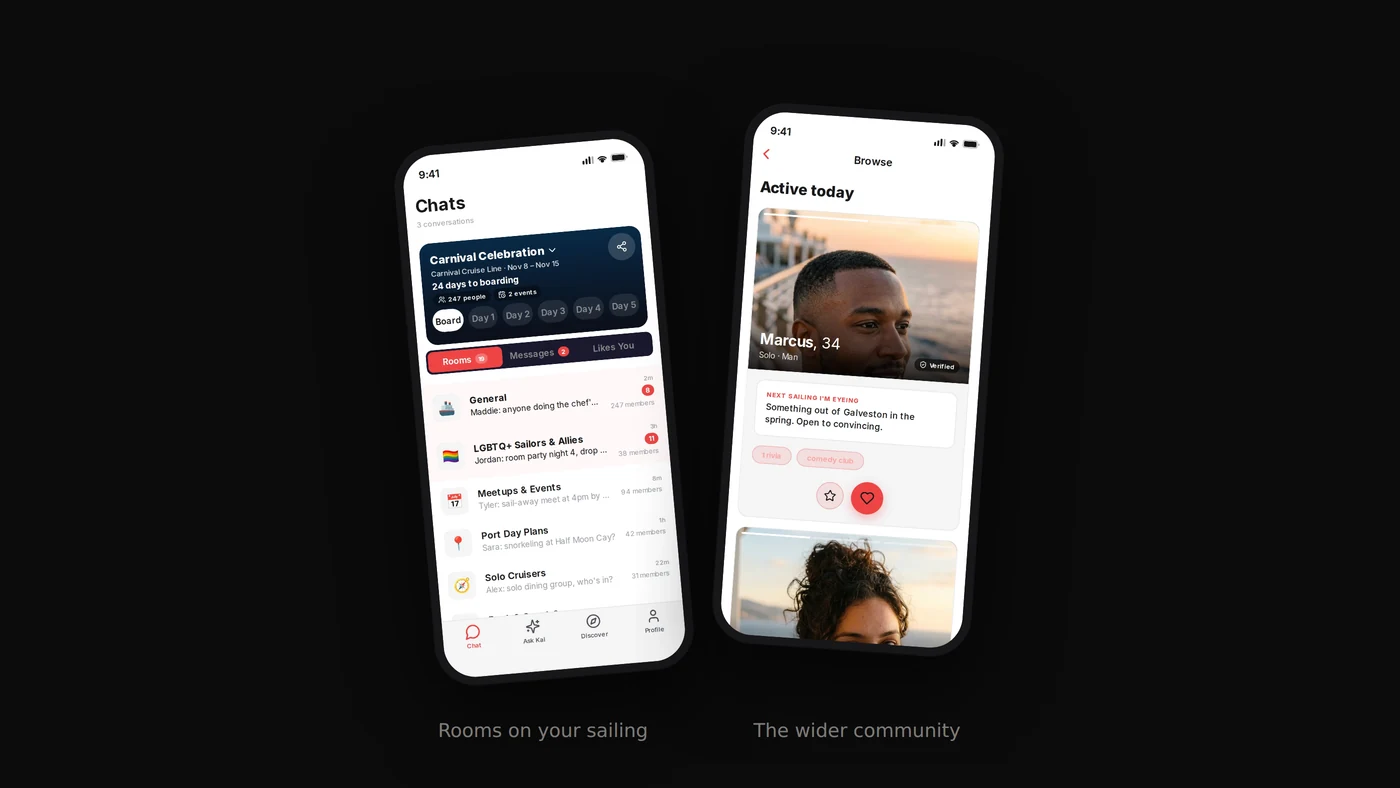
- Use a sailing-scoped app. This is where Nautir fits: you join your exact ship and departure date, land in that sailing's Community Rooms, and can arrange dinners and port day groups with an events bar before embarkation. Every member has cleared a government ID scan first, and 60 percent of people who start a signup never get past that gate.
- Book fixed dining and request a shared table. Do this at booking. It is the single highest-return decision for meeting people and it costs nothing.
Day one, which matters more than the rest of the week
Cruise social groups form fast and close faster. By day three people have their crew. Almost everything worth doing happens in the first thirty-six hours.
- Go to the solo or singles meetup. Many sailings schedule one early, listed in the daily programme in the app. It is usually the first evening or the first sea day precisely so that connections form before groups solidify. If your sailing has one, it is the highest-value hour of your week.
- Go to the sail-away party. Everyone is on deck, nobody has plans yet, and the social barrier is at its lowest point of the entire cruise.
- Pick a home base bar and go back to it. A pub, a lounge with live music, a specific pool bar. Same bartender, same time, three nights running. This is the manufactured repetition, and it works better than any other single tactic on a big ship.
- Check the daily programme for the recurring stuff. Trivia teams, pub crawls, dance classes, and card games are structurally social because they require other people. Ask to join a trivia team that is short a player and you are in a group for the week.
Port days
Shared excursions are the strongest bonding hour on any cruise, and a private tour split four ways is usually cheaper than the ship's version anyway. Roll calls and sailing apps both organize these constantly. Agree it before you board, because on port morning everyone is already committed.
One safety note: off the ship you lose the ship's structure, so go ashore in a group with people you have actually met aboard, and know the all-aboard time rather than the departure time.
The short version
Do three things and the size of the ship stops mattering. Arrange something before you board, take fixed dining at a shared table, and pick one bar to return to. Everything else is bonus.
FAQ
Does the Royal Caribbean app let you chat with other passengers?
No. Royal Caribbean made chat free in its app in 2025, but it remains party-only: you can message people already linked to your booking, not other guests on the ship. There is no official way to browse or contact fellow passengers through the line.
Are there solo traveler meetups on Royal Caribbean ships?
Often, yes. Many sailings schedule a solo or single travelers gathering in the first day or two, listed in the daily programme in the app. It is usually early in the cruise by design, because the point is to connect people before everyone settles into groups. Check day one and go to the first one.
Where is the Royal Caribbean roll call for my sailing?
Cruise Critic hosts roll call threads organized by line, ship, and sail date, and Royal Caribbean sailings are among the most active. There is also usually a Facebook group for your specific ship and departure date, plus large general communities like Royal Caribbean Blog.
What is the best way to meet people on a big Royal Caribbean ship?
Size works against you unless you narrow it down. On a ship carrying five to seven thousand passengers, random encounters are unreliable. Fix a home base venue, use fixed dining, go to the first solo meetup, and arrange some of it before you board through a roll call, group, or sailing app.